June 2026 Update

Presto Product Team
June 30, 2026
June was a big one for shipping out some new front-and-center features! We introduced a whole new way to bring volunteers into Presto, made assigning fees way faster, and gave district admins more control than ever. Let’s dig in!
Presto Blog
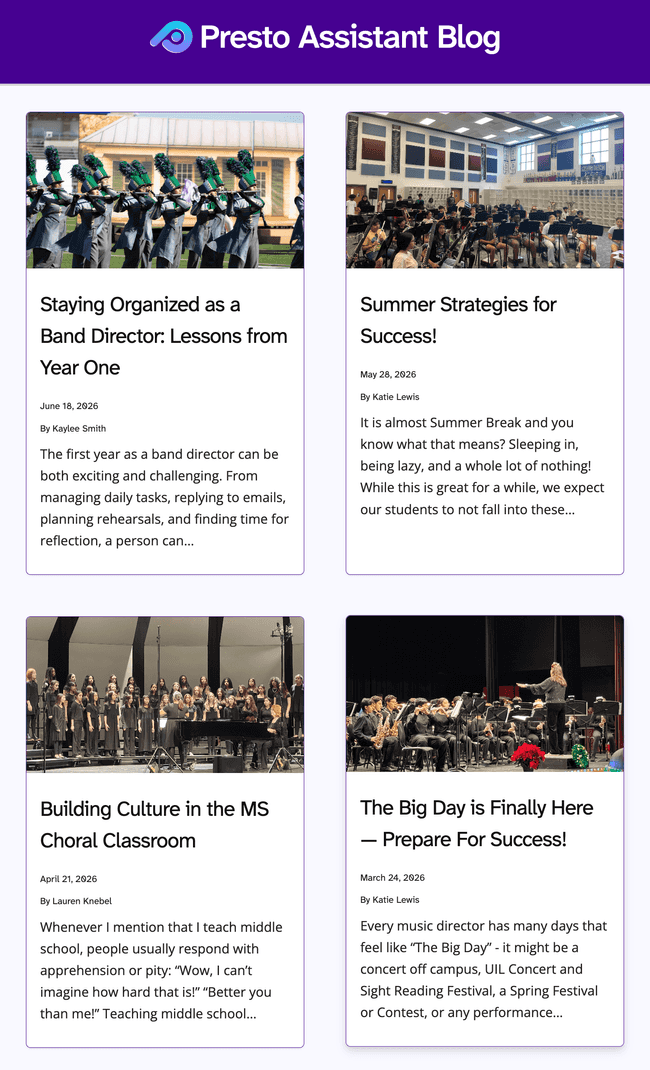
We added more great articles from guest contributors. Check them out!
- March 2026 — The Big Day is Finally Here — Prepare For Success! by Katie Lewis
- April 2026 — Building Culture in the MS Choral Classroom by Lauren Knebel
- May 2026 — Summer Strategies for Success! by Katie Lewis
- June 2026 — Staying Organized as a Band Director: Lessons from Year One by Kaylee Smith
Want to contribute an article? Get in touch!
Say Hello to Helpers 👋
Big news: Presto now supports Helpers — a brand-new member type built for the people who pitch in without being a full-time Director, Parent, or Student. Think booster club volunteers, student helpers, or trusted parent aides. Unlike other member types, Helpers don’t rotate or graduate each year, and instead of an all-or-nothing role, directors decide exactly what each Helper can see and do with granular, checkbox-level permissions.
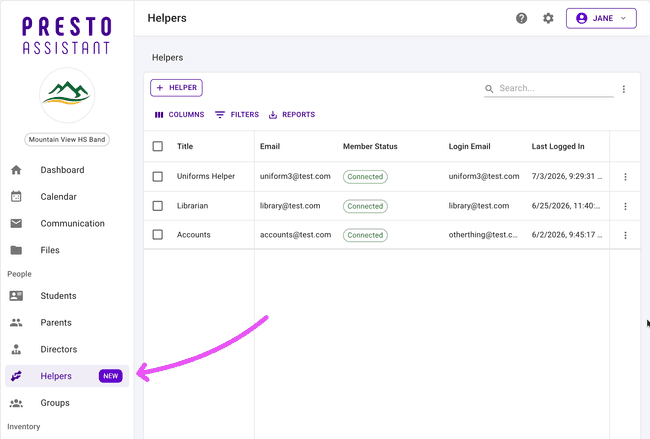
This month brought the whole toolkit for managing them:
- Create a new Helper from scratch with a title, email, and permission set
- Turn an existing member into a Helper with a new “Clone to Helper” action
- Browse everyone with Helper access from a dedicated Helpers page (now in the left nav, with a shiny “New” badge)
- View and edit a Helper’s details and permissions
- Send (or resend) their welcome email
- Deactivate a Helper when they’ve moved on
- Use “Become This Member” to log in as a Helper for quick troubleshooting.
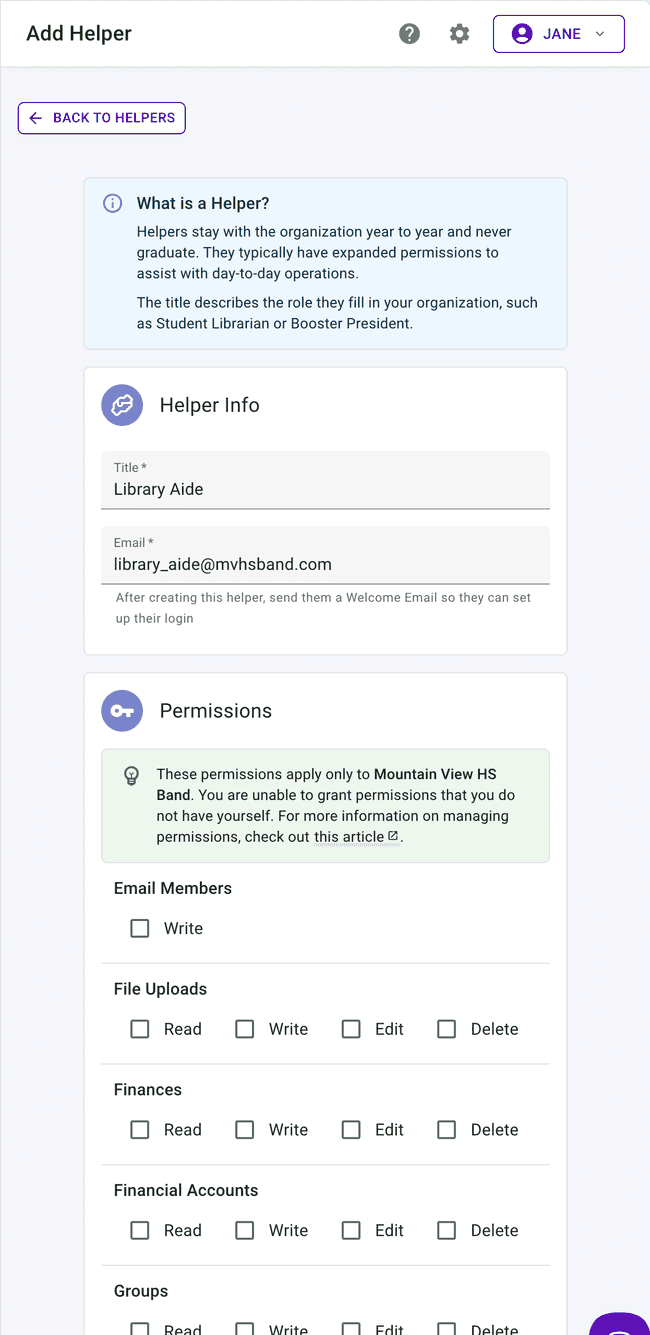
Helpers even get their own purpose-built dashboard, so they only see what’s relevant to them.
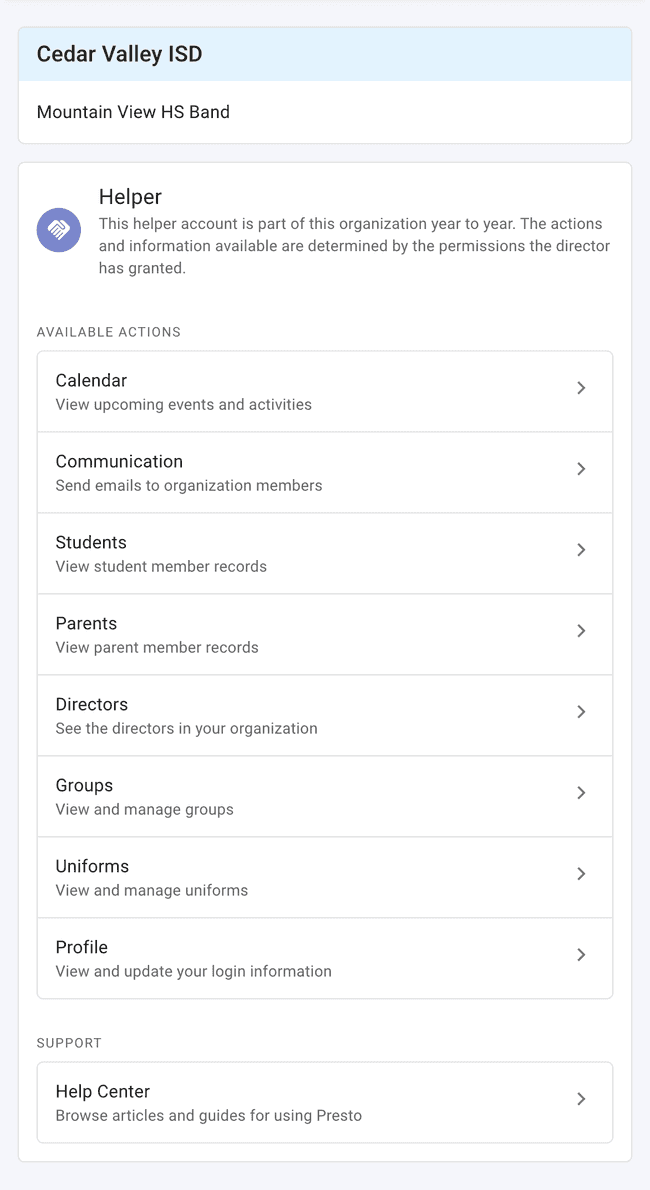
These new support articles will be handy to learn more, too!
Assign Multiple Fees in One Go
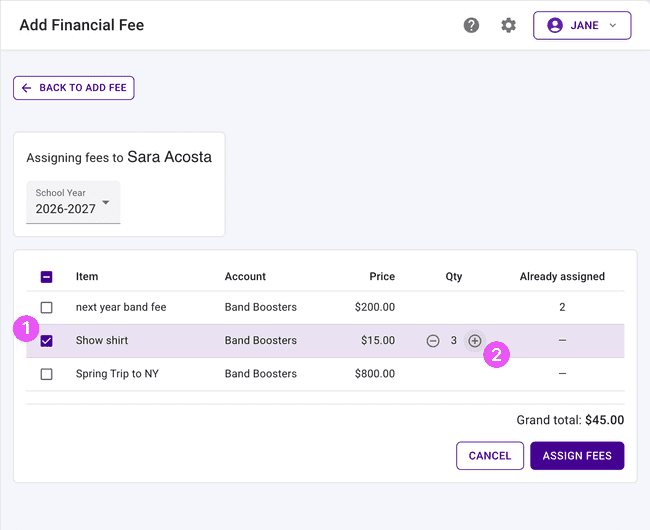
Registration night just got a lot faster. When assigning fees to a student, you can now add several different fees — each with its own quantity — in a single request instead of repeating the process one fee at a time. It’s perfect for busy checkout tables and in-person registration events where students often owe more than one thing at once.
One-Off Fees Are Back
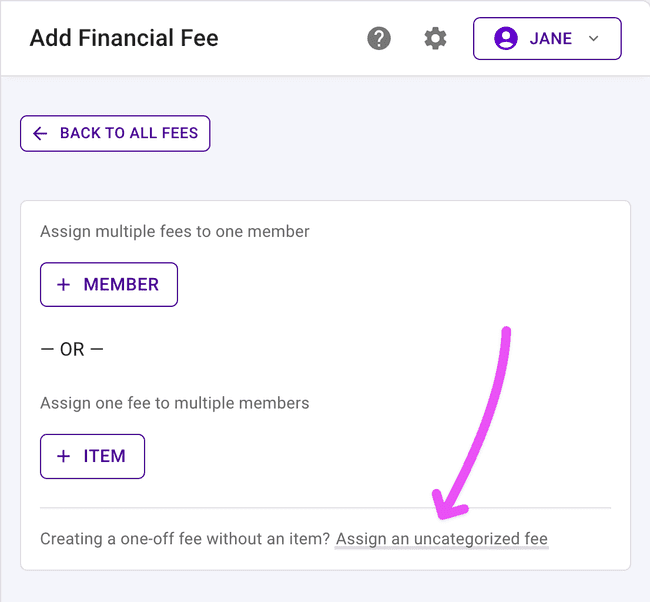
We finished some housekeeping and brought back the ability to create a one-off fee that isn’t tied to one of your predefined financial items — handy for that rare, one-time charge. We tucked the option a bit further out of the way so your regular financial items stay front and center, but it’s there when you need it.
District Feature Settings
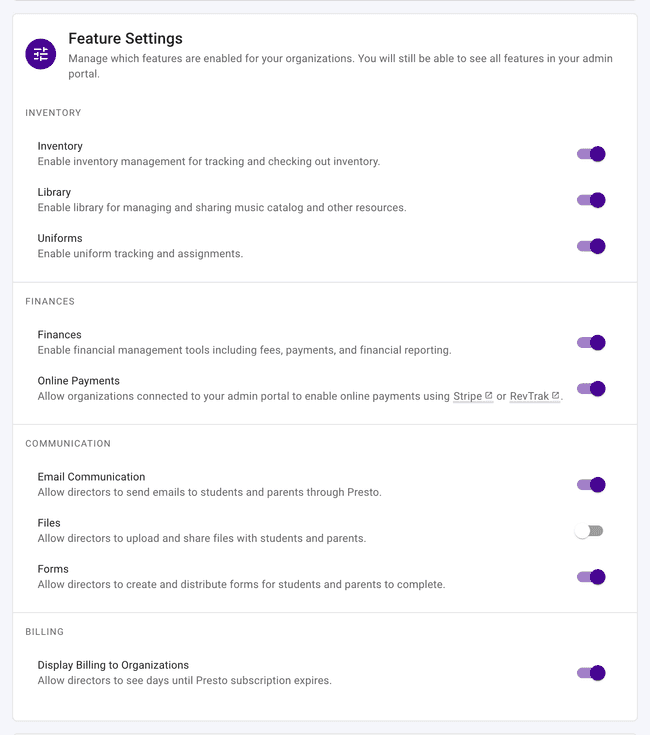
District admins now have a dedicated Feature Settings panel to turn entire areas of Presto on or off district-wide — Inventory, Uniforms, Library, Forms, Files, Email Communication, Finances, and Online Payments. Flip a switch and it takes effect immediately, updating navigation and dashboards across the board for directors, parents, and students. We also added a setting to control whether billing info is visible to organizations in the district.
A Friendlier Import Experience
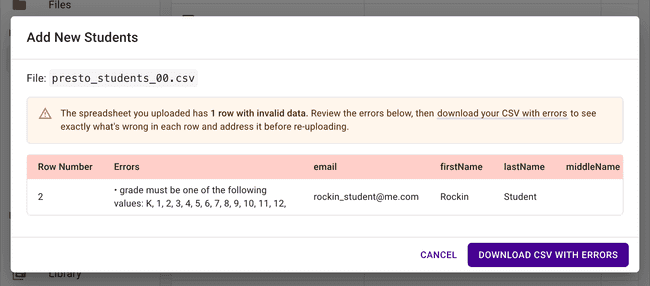
Fixing import errors is a lot less painful now. Error rows show up immediately (no more hunting for a “Show errors” toggle), you’ll see a clear link to download your CSV with the problem rows flagged, and valid rows are listed first so you can see what succeeded. This applies across Member, Inventory, Library, and Uniform imports.
Other Improvements
Some more updates worth knowing about:
- Student ID on Payments and Transactions — A Student ID column is now available on the Payments and Transactions tables for easier cross-referencing.
- Financial Credits includes additional membership details — The Credits table now shows the Active Membership and Membership Year for the member each credit belongs to, and defaults to the current school year.
- Editable Inventory Audit names — You can now rename an existing Inventory Audit right from the audits table.
- Rebuilt My Payments table — The My Payments table for parents and students has a fresh look, with new Date Paid, Type, and Note columns.
- More reliable Google Calendar sync — Presto now refreshes your Google Calendar connection before it expires, cutting down on missed syncs.
- Remove Director action — Admins can now remove a director right from the row actions on the Directors table.
- A few squashed bugs — Fixed a broken “Manage Billing” link for Admin users, a decimal-entry error when editing Inventory item values, a snag selecting members for email from a table, a school-year issue on the Admin Financial Item form, a leftover “More Actions” menu that appeared with no actions to take, and an account issue when removing an Admin Assistant.
Get in Touch
What a month! As always, if you have questions or feedback, reach out to Presto Support at support@presto-assistant.com.
Happy teaching, and enjoy the summer stretch!