March 2026 Update

Presto Product Team
March 31, 2026
March was a big one! The March 2026 update brings powerful upgrades to Forms, a major expansion of the Document Hub, multi-year financial statements, smarter credit management, and a whole lot of quality-of-life improvements. Let’s dive in!
Forms, Triple-Upgraded
Forms had a great month — three new features landed all at once!
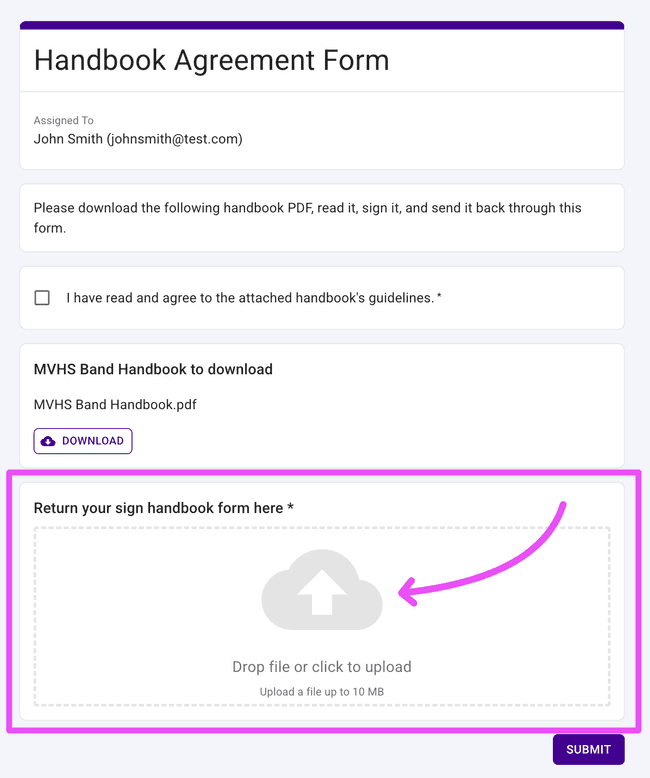
File Upload blocks — Members can now attach files directly in a form response. Add a File Upload block to any form, and directors can download the uploaded files right from the form responses table. Perfect for collecting permission slips, agreements, or any document you’d normally chase down over email.
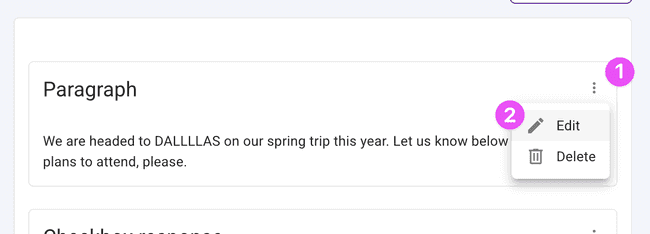
Edit form blocks — Made a typo? Changed your mind about a question? You can now go back and edit form blocks after creating them. Forms that have already been published are protected so existing responses stay safe, but unpublished forms are fair game.
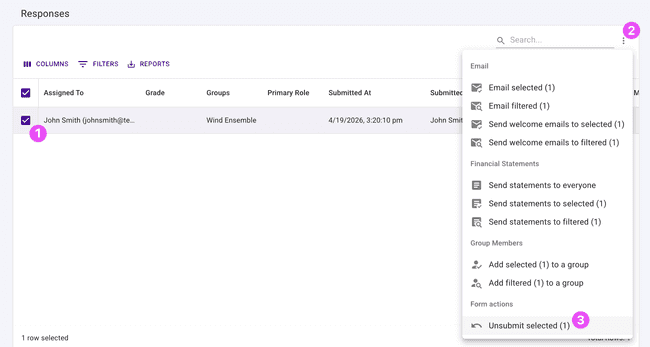
Unsubmit form submissions — Mistakes happen! Directors can now unsubmit selected responses via the More Actions menu in the form responses table, giving members a chance to re-submit with corrected information.
Document Hub Expands to Students and Library Items
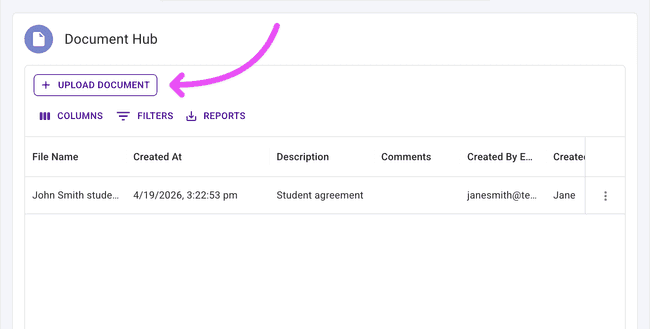
The Document Hub keeps growing. You can now attach and organize documents directly on student profiles and library items, right alongside the rest of their details. Keep everything — consent forms, sheet music, instrument history — exactly where you’d expect to find it. If you have digital library items, upload them here and you’re set!
Financial Statements: Include Previous Years
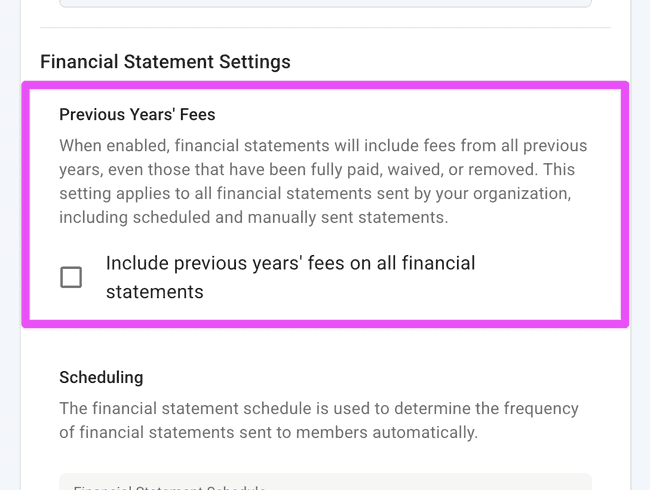
Multi-year visibility is finally here! Organizations can now configure their financial settings to include previous years’ financial statements when generating member statements. Toggle the setting on, and prior year data gets pulled in automatically. Note: This setting will show all financial information for previous years, so some members might have very long statements.
Apply Credits to Specific Items
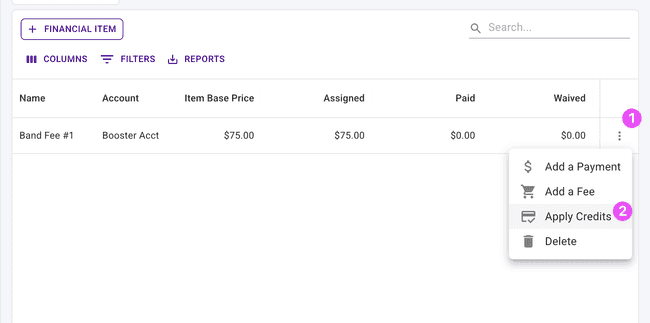
Credit management just got more precise. Directors can now apply credits to individual financial items directly from the row actions in the items table — a quick way to get into the credit application flow.
Pending Members: Cleaner Approval Experience
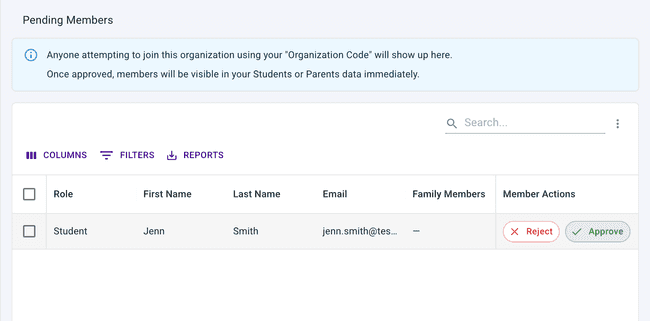
Approving or rejecting pending member requests is now front and center. The approve and reject actions appear as a pinned button group with icons in the Pending Members table, so you can take action right away without digging through menus.
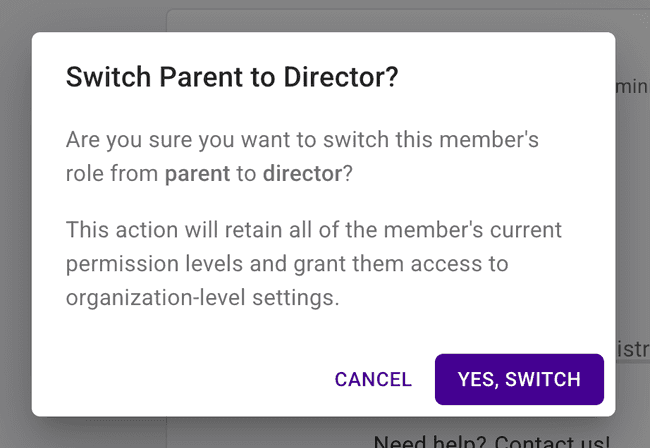
Make a Parent a Director
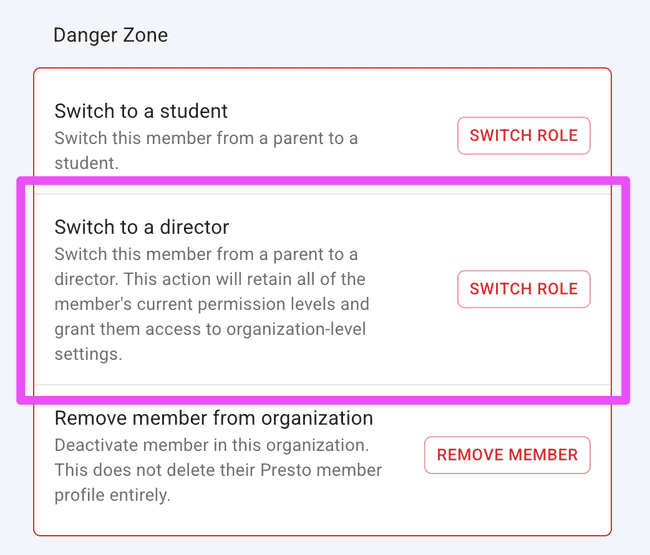
Promoting a parent volunteer to a director role? There’s now a dedicated flow to make a parent a director while keeping all of their existing family connections intact. No more workarounds!
Note: this action is pretty rare, usually needed if someone on your staff signed up as a parent instead of an Assistant Director.
Column Order Is Saved
Table power users, this one’s for you. When you reorder columns in a data table, that order is now remembered the next time you visit. Pinned columns stick around too. Set it up once, and Presto handles the rest.
Other Improvements
A few more updates worth knowing about:
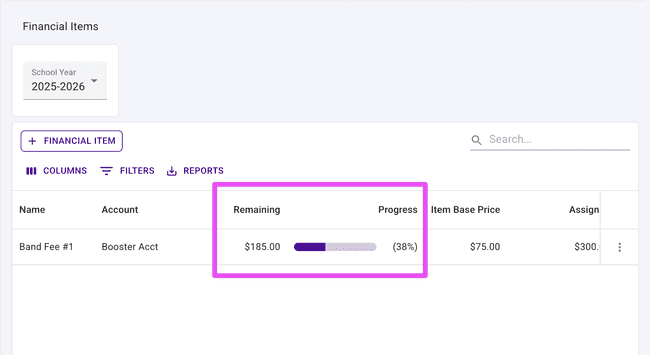
- Total Fees Due on the Students table — A new “Total Fees Due” column shows outstanding balances right in the main Students table, saving you a click.
- Student ID on checklists — Student IDs now appear in the member table on checklist pages.
- Student transfer warning — When transferring a student, you’ll now see a heads-up that their parents will transfer along with them.
- Student reactivation syncs families — Reactivating a student now also reactivates their associated parents and preserves family relationships. No more manual reconnecting.
- Suppressed emails: cleaner terminology — The Suppressed Emails page has updated language, icons, and clearer copy throughout.
- Balance sheet shows Student IDs — Student IDs now appear on the balance sheet, making cross-referencing records a whole lot easier.
Get in Touch
What a month! As always, if you have questions or feedback, we’d love to hear from you. Reach out to Presto Support at support@presto-assistant.com.
Happy teaching — keep pushing to the end of the semester!