April 2026 Update

Presto Product Team
April 30, 2026
April is packed! Library edit mode, uniform checkout history, smarter transfer workflows, and a whole lot of quality-of-life improvements all landed this month. Let’s dig in!
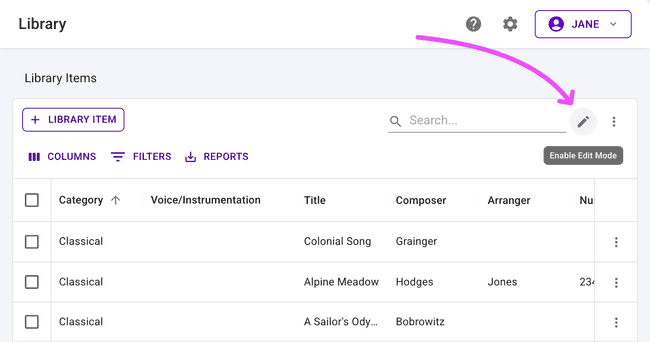
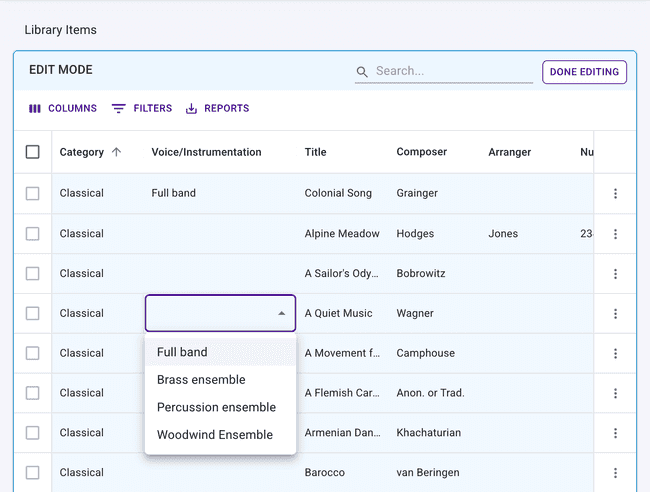
Edit Mode for Library Items
Quickly adjust your library data with the new Edit Mode. For a member with permission to edit library items, all columns are available to edit. We hope that helps you move faster!
Incoming Transfer Acceptance
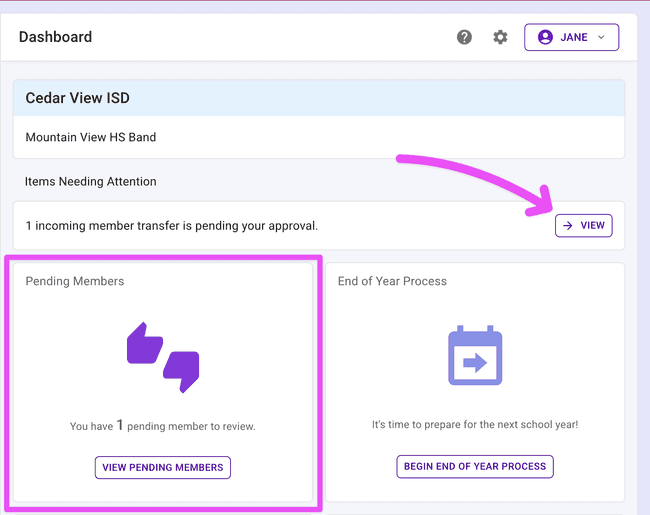
Directors are now in the driver’s seat when it comes to incoming member transfers. When a director in another organization requests to transfer members into your organization, the request lands in your Pending Members table — right alongside other pending requests — where you can review and approve or decline. No more surprises on your roster!
Uniform Checkout History
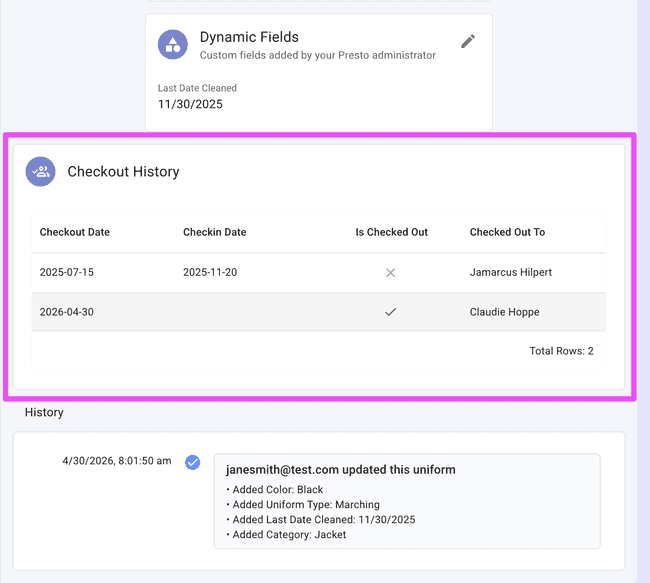
Wondering who had that uniform last? Now you can find out. Each uniform details page now includes a Checkout History card showing a log of the checkouts. Perfect for tracking wear, resolving questions, or staying organized across a busy season.
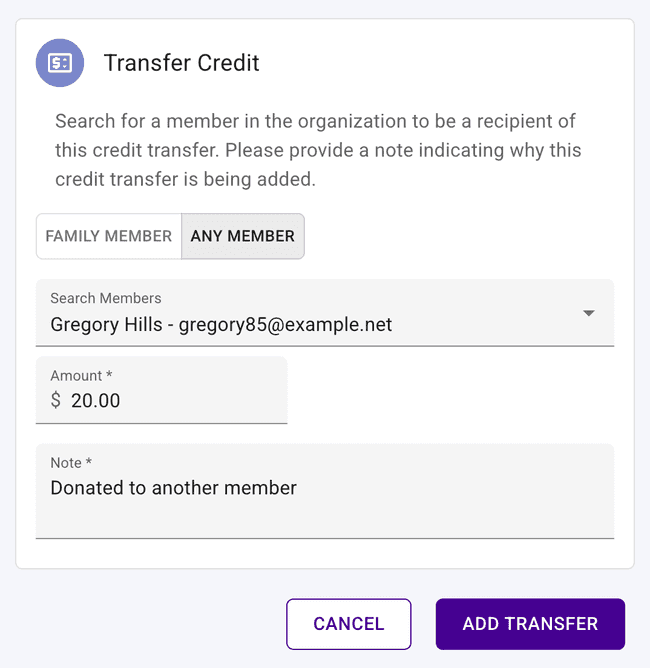
Transfer Credits to Any Member
Financial flexibility just got an upgrade. When transferring a credit to another account, you’re no longer limited to family members — you can now send it to any member in your organization. More options, fewer workarounds!
Other Improvements
Some more updates worth knowing about:
- Financial Transactions row click — Click any row in the Financial Transactions table to navigate directly to that transaction’s detail page.
- Longer credit notes — The note field on credits now supports more characters, so you have more room to add context.
- Longer inventory repair comments — The comments field for inventory repairs will accept more characters to help you keep all of the details you need.
- Auto-remove from email suppression — When a member’s email address changes, they’re automatically removed from the email suppression list so your next message reaches them.
- Inactive students on balance sheet — The “Is Active” column now correctly marks students as inactive if they’re not enrolled in the current school year.
- Delete confirmations refreshed — The confirmation dialogs when deleting library and uniform items have been updated for clarity.
Get in Touch
What a month! As always, if you have questions or feedback, reach out to Presto Support at support@presto-assistant.com.
Happy teaching — the finish line is in sight!