January-February 2026 Update

Presto Product Team
February 28, 2026
The new year is off to a great start! The January–February 2026 update brings big changes to financial settings, a fresh look for payment receipts, powerful new reporting tools, and a whole lot more. Let’s see what’s new!
Presto Blog
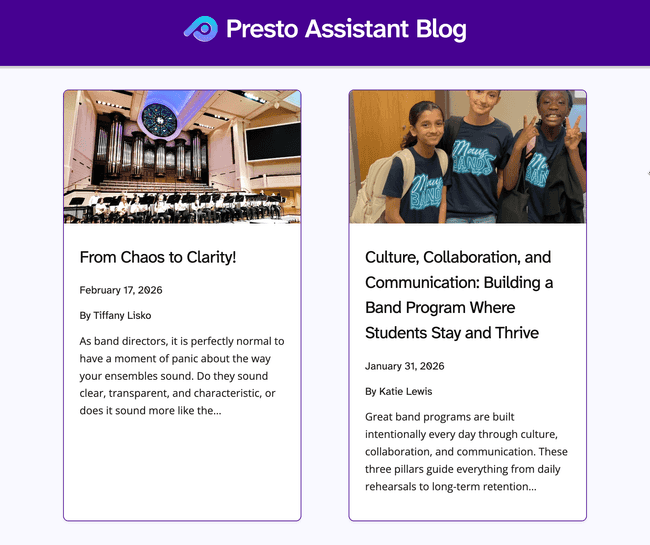
We kicked off 2026 with two fantastic articles from guest contributors. Check them out!
- January 2026 — Culture, Collaboration, and Communication: Building a Band Program Where Students Stay and Thrive by Katie Lewis
- February 2026 — From Chaos to Clarity! by Tiffany Lisko
Want to contribute an article? Get in touch!
Organization Covers Payment Processing Fees
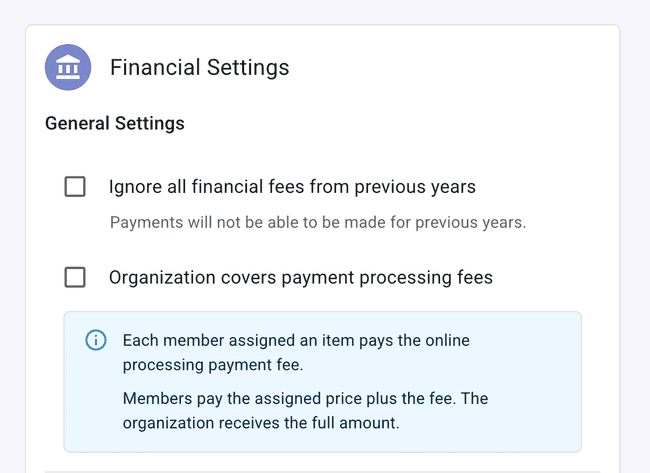
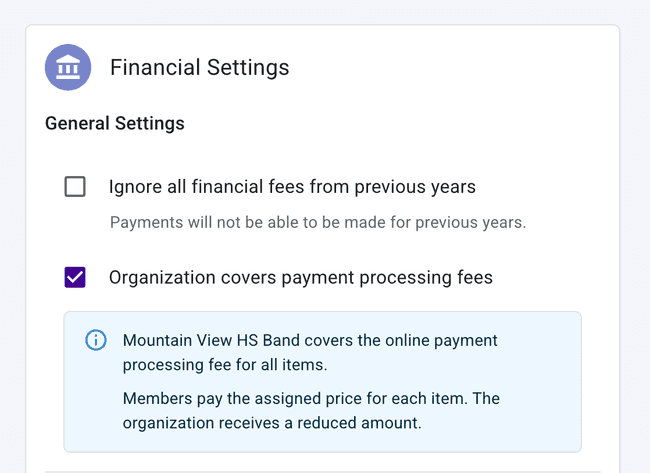
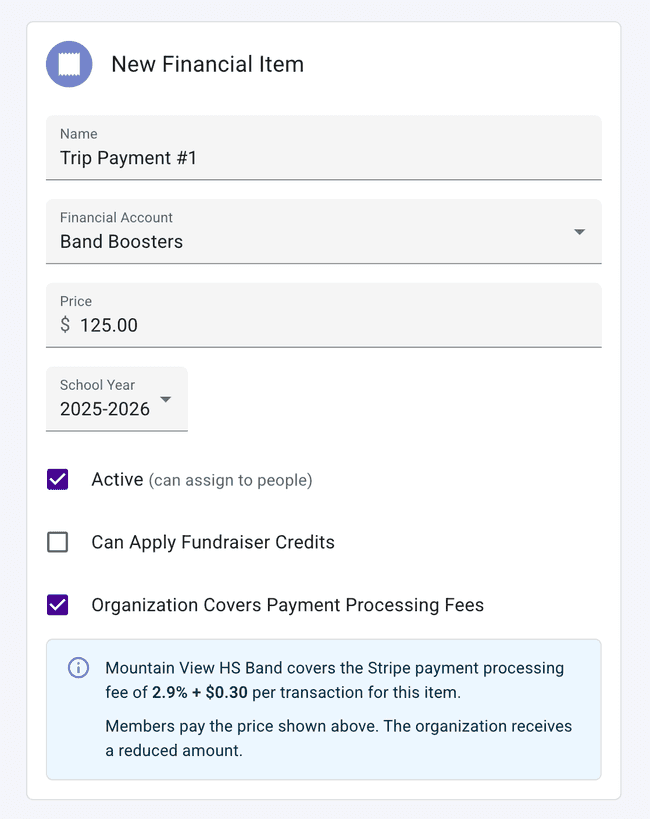
Our maintenance on this feature is done! 🔧 Organizations can once again configure whether they want to cover the processing fees on online payments. Set a default preference in your organization’s Financial Settings to have it automatically apply to new items, or toggle it on or off for individual financial items as needed.
Payment Receipt PDFs, Refreshed
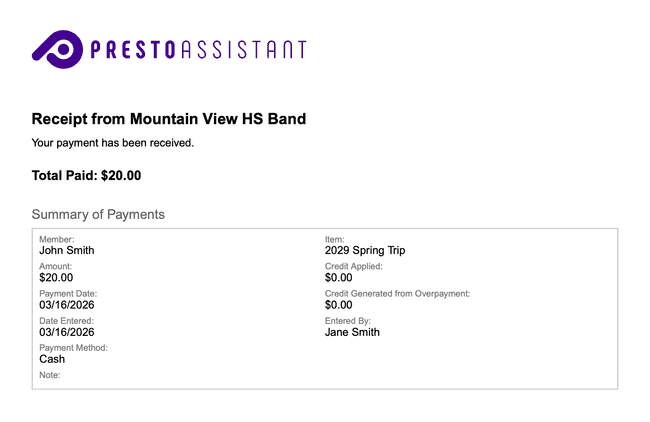
Payment receipts just got a glow-up! Receipts now feature the Presto logo, a clean “Summary of Payments” subheader, and an improved layout that puts the most important details front and center. Whether you’re printing for your records or sharing with a parent, receipts look polished and professional.
Custom Date Range Financial Reports
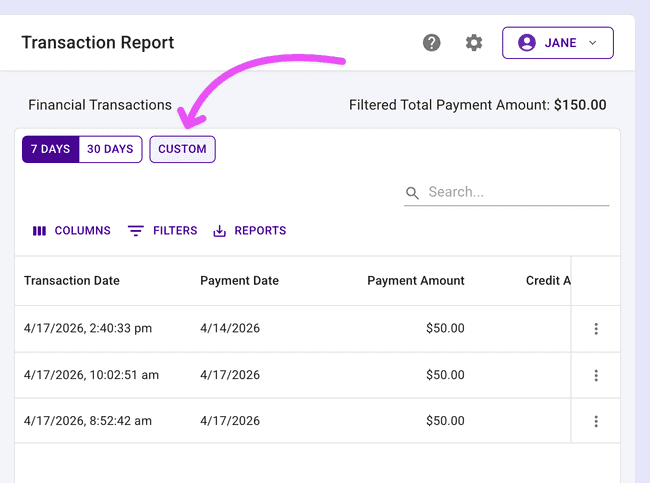
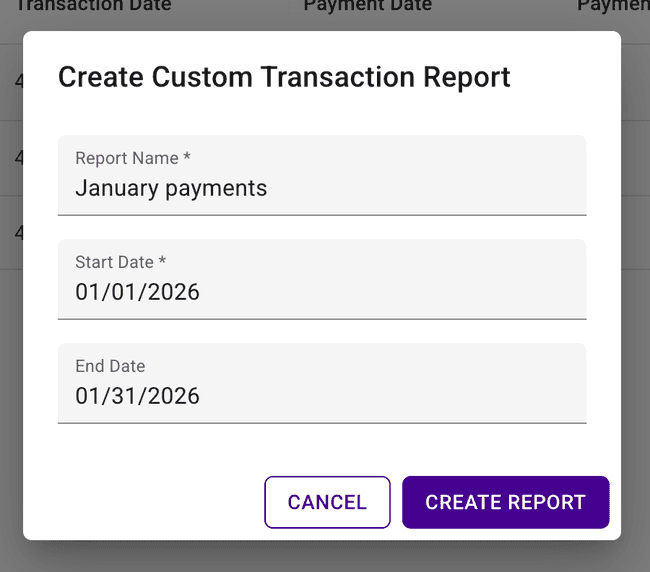
Data enthusiasts, this one’s for you! You can now generate a financial transaction report for any custom date range directly from the Financial Transactions table. Open the report dialog, pick your start and end dates, and pull exactly the data you need — no more wrestling with preset ranges. The new report will be emailed over to you in a few seconds!
Admin Invoices Table
Admin portal users now have a dedicated Invoices page in the side navigation. See all invoices organized in one spot and keep billing on track without digging through other pages.
Other Improvements
Some more updates worth a look:
- Create current year inventory report — A new “Create Current Year Inventory Report” action is available in the inventory More Actions menu for quick year-over-year tracking.
- Clear grade level from library items — You can now remove a previously set grade level from any library item, giving you more flexibility when organizing your library.
- Import library items: composer is now optional — The Composer field is no longer required when importing new library items. No more getting stuck on pieces with an unknown composer.
- Google sign-in redirects to your destination — After signing in with Google, you’ll now land on the page you were originally trying to reach instead of the dashboard screen.
- Single-character middle names supported — Middle names can now be a single character, fixing a validation that was stricter than it needed to be.
- Custom notes on estimates and invoices — Our team can add a custom note on your billing documents. If your financial department needs to see something specific on an estimate, let us know!
Get in Touch
Here’s to a great start to 2026! As always, if you have questions or feedback, reach out to Presto Support at support@presto-assistant.com.
Happy Presto-ing!