August 2026 Update

Presto Product Team
August 31, 2026
August was RosterSync’s big coming-out party — it’s officially live! We also opened up the Admin Portal with more visibility and squashed a bunch of bugs along the way. Let’s get into it!
Presto Blog
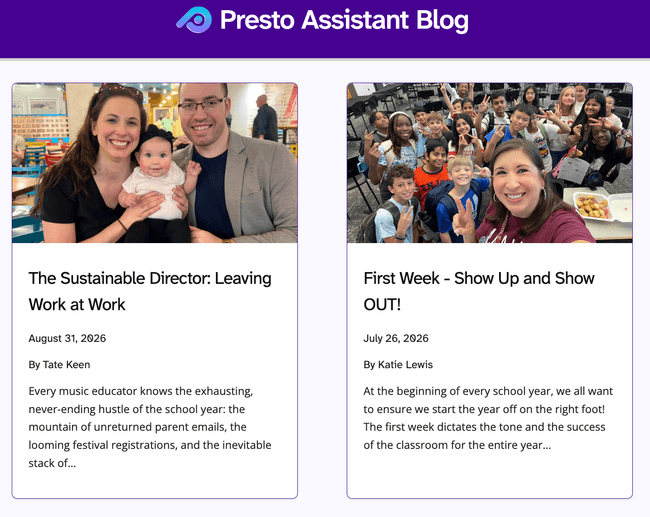
We added another great article from a guest contributor. Check it out!
- August 2026 — The Sustainable Director: Leaving Work at Work by Tate Keen
Want to contribute an article? Get in touch!
RosterSync Is Officially Live! 🎉
RosterSync keeps your Presto rosters lined up with your school’s student information system — the same place your school already tracks which students are enrolled in which classes. Instead of re-typing students into Presto every time a schedule changes, RosterSync brings those updates to you.
You decide what gets applied. Nothing changes on your roster until you approve it, and once you trust the routine changes, you can let Presto apply those automatically.
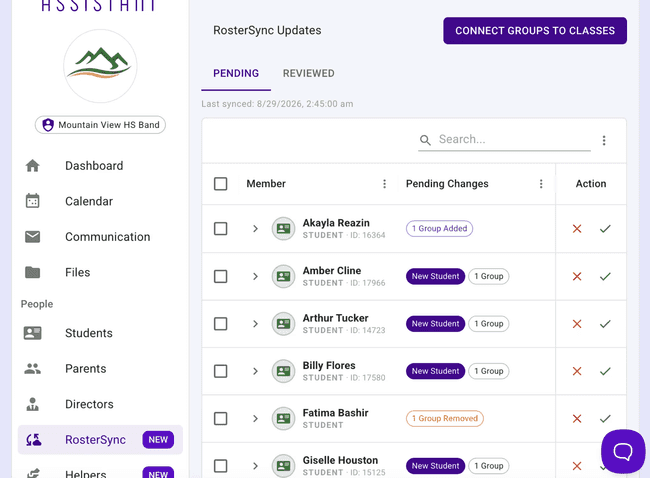
Getting started takes a little setup — you’ll pick how your data comes in, either through ClassLink or over SFTP, and match your Presto groups to the right classes. It’s a guided process, and it’s usually a quick conversation with your district’s technology team. Set Up Automatic Rostering walks through every step, and Using RosterSync covers what to do once you’re connected.
Manage Directors from the Admin Portal
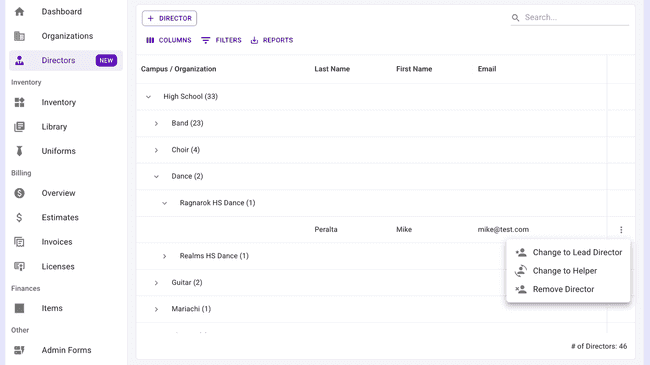
Administrators can now see every director across the district in one table with the new Manage Directors page — no more organization-hopping to check who’s who. Converting a director to a Helper is easier too: admins can do it right from the Admin Portal, and the new Helper automatically keeps the director’s existing permissions and welcome-email history instead of starting from scratch.
Forms & Fees
-
Links in forms — Form builders can now add clickable hyperlinks to form text, and members will see them as clickable links when filling the form out.
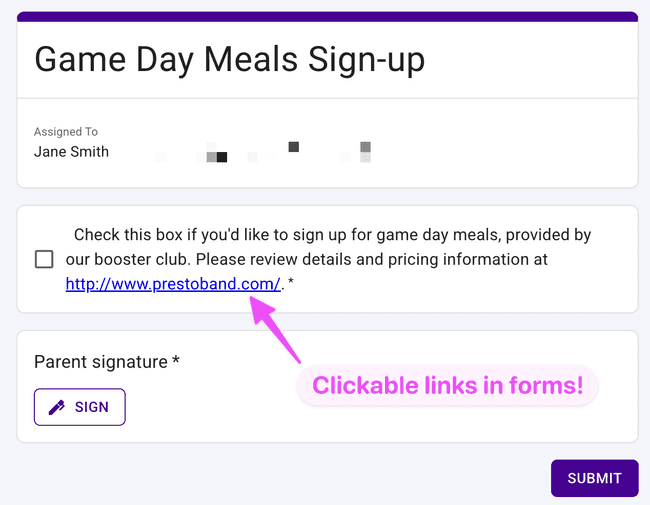
Add a link to a form question, and members can tap straight through to the details while filling it out -
Assign fees from Form Responses — Select or filter a form’s responses and assign a fee to those members right from the Form Responses page.
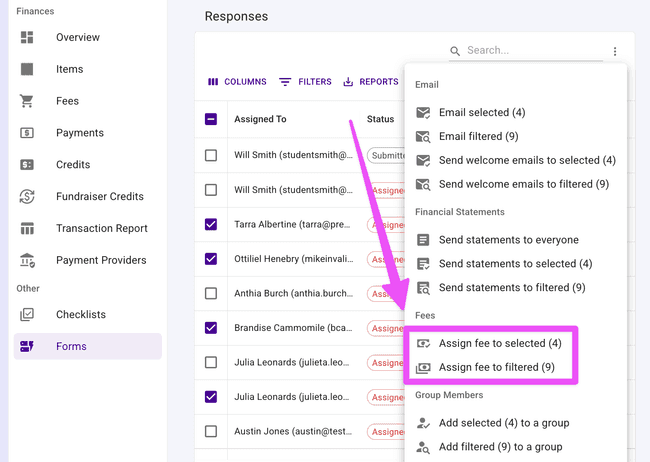
Select or filter form responses, then assign a fee to those members without leaving the page
Other Improvements
Some more updates worth knowing about:
- Previous Year Members, leveled up — The table now shows phone number and full address, and you can select several students and transfer them all to another organization at once instead of one at a time.
- Bulk remove from Students and Parents — Remove multiple students or parents in a single action instead of one at a time.
- Grade column on the Fees table — See — and filter by — each member’s grade right from Financial Fees.
- Helpers get the full dashboard — Helpers now see the standard Director dashboard for the areas they have permission to, which means they can finally reach the Pending Members table and the End of Year process — both of which live only on the dashboard.
- Fixed a data integrity bug — A rare issue could silently flip a rejected member back to “pending” or “approved” during an unrelated transfer or import; that’s fixed now, along with a crash that had been blocking some new users from finishing onboarding.
- More accurate numbers — Dashboard student counts now match the Student list’s filters, Checklist member counts and the admin Directors list now correctly exclude inactive people, and financial statements now reach inactive and previous-year members as expected.
- Fewer bogus errors — Fixed “Organization not found” messages popping up across nearly every page for some members, a crash when adding a family member with a browser’s built-in translation feature turned on, and an occasional false “unauthorized” error caused by a duplicate API key header.
- Small but handy — The Blocked Emails table now links straight to the member’s page, the Fundraiser Credit CSV import accepts a “Member” column just like the Payments import, and checklist checkboxes no longer flicker or fail to save on a slow connection.
Get in Touch
That’s a wrap on August! As always, if you have questions or feedback, reach out to Presto Support at support@presto-assistant.com.
Happy teaching!